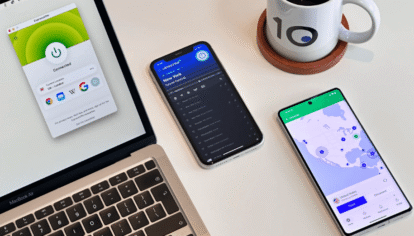
Privacy online isn’t a single switch you flip: it’s a stack of tools and habits working together. The aim of this guide is to walk through the categories of software that genuinely move the needle for personal privacy, name a couple of decent options in each, and explain why a VPN is usually a smarter choice than relying on your home router’s public IP for anything beyond casual browsing.
Why bother with privacy software at all?
Default settings on most operating systems, browsers, and apps send a constant stream of data to advertisers, analytics providers, and the platforms themselves. Most of this isn’t malicious: it’s just the business model. The problem is the cumulative profile that gets built about you, and the fact that you’re rarely shown what’s in it or asked whether you agree. Privacy software either limits what gets sent, encrypts what does get sent, or changes what’s visible to the parties along the way.
Browsers
Your browser is your primary window to the web, and choosing one that limits tracking by default is the easiest privacy win you can make.
- Brave: Chromium-based, blocks trackers and most ads by default, no fiddling required.
- Firefox with Enhanced Tracking Protection turned up: open-source, configurable and plays nicely with add-ons like uBlock Origin.
- Mullvad Browser: built jointly by Mozilla and Mullvad, designed specifically to resist fingerprinting. Intended to be used alongside a VPN.
Search engines
Search engines log every query you make, building a detailed profile over time, so switching to a privacy-respecting alternative is a simple but meaningful change
- DuckDuckGo: the default suggestion for a reason; doesn’t track queries to a profile.
- Brave Search: independent index, no tracking.
- Startpage: returns Google results without forwarding your IP or query history to Google.
VPNs
A VPN routes your traffic through an encrypted tunnel, hiding your activity from your ISP and masking your home IP from the sites you visit
- Mullvad: anonymous account numbers (no email needed), flat €5/month, accepts cash.
- Proton VPN: Swiss jurisdiction, has a usable free tier, open source apps, regularly audited.
- IVPN: small, transparent ownership, no-logs policy backed by audits.
For a fuller breakdown of how VPNs work and which features actually matter when choosing one, this virtual private network guide covers the technical side in more depth.
Most email is sent and stored unencrypted, meaning your provider can read it — these options keep the contents private by default
- Proton Mail: end-to-end encryption between Proton users, Swiss-based, decent free tier.
- Tutanota: German provider, encrypts subject lines as well as bodies.
Messaging
For day-to-day conversations, end-to-end encryption ensures only you and the recipient can read what’s sent — not the app, not the server.
- Signal: open source, end-to-end encrypted by default, retains very little metadata.
- SimpleX Chat: no phone number or username required; designed to leave no persistent identifier behind.
Password managers
Reusing passwords is one of the biggest security risks most people take, and a password manager solves it by generating and storing a unique one for every account.
- Bitwarden: open-source, audited; free tier is enough for most personal use.
- KeePassXC: fully offline, you control the database file and where it lives.
Antivirus and anti-malware
Dedicated antivirus software is less essential than it used to be, but a couple of targeted tools are still worth keeping around.
- Built-in OS protection: Windows Defender and macOS XProtect are genuinely adequate for most users today.
- Malwarebytes: useful as an on-demand second-opinion scanner.
File encryption
If sensitive files are stored on your machine or synced to the cloud, encryption ensures they can’t be read even if someone gains access to them.
- VeraCrypt: encrypted containers and full-disk encryption; free and open source.
- Cryptomator: encrypts files before they sync to cloud storage, such as Dropbox or Google Drive.
Quick comparison
| Category | Free option | Paid option | Open source |
| Browser | Firefox / Brave | Mullvad Browser | Yes |
| Search engine | DuckDuckGo | Kagi | Mixed |
| VPN | Proton VPN (free) | Mullvad / IVPN | Yes |
| Tutanota (free) | Proton Mail | Mixed | |
| Messaging | Signal | — | Yes |
| Password manager | Bitwarden | 1Password | Bitwarden: yes |
| File encryption | VeraCrypt | — | Yes |
Why use a VPN rather than your home router IP?
Your home router has a public IP address handed out by your ISP. Every website you visit and every service you log in to, sees that IP unless you do something about it. Even if you’re not doing anything you’d consider sensitive, there are a few good reasons to put a VPN between you and the rest of the internet.
- Your IP is tied to your physical address through the ISP’s records. A website doesn’t get your address directly, but the ISP can be compelled to hand it over, and IP geolocation databases often get the city right.
- Your ISP can see every domain you connect to. HTTPS hides what you do on a site, but not which site it is. In some countries, this metadata is logged by default and retained for months or years.
- IP-based tracking persists even after clearing cookies and signing out. Ad networks can stitch sessions back together using the IP alone.
- Public Wi-Fi (cafés, airports, hotels) means sharing a network with strangers. A VPN encrypts your traffic so the network operator and other users on it can’t see what you’re doing.
- Some services geo-block content based on IP. A VPN lets you appear to be in another country when there’s a legitimate reason to do so.
A VPN moves all of that to a provider you’ve chosen and paid for, rather than leaving it with an ISP whose business model often includes selling data to brokers. You’re trading trust in your ISP for trust in the VPN provider, which is only an improvement if you pick the VPN carefully (audits, no-logs policy, jurisdiction, ownership transparency).
A few honest caveats
A VPN does not guarantee anonymity. If you log into your real Google account over a VPN, Google still knows it’s you. A VPN protects against network-level surveillance and IP-based tracking; it doesn’t protect against account-based tracking, browser fingerprinting, or malware on your device.
No single tool fixes the problem on its own, either. A privacy-focused browser is undermined by a search engine that logs every query. An encrypted messenger doesn’t help if your phone is uploading unencrypted backups to a cloud service you’ve forgotten about.
Free options are often genuinely good. For example, Bitwarden, Signal, Firefox and VeraCrypt all work without paying. Free VPNs are the exception. Running a VPN service costs real money, and most free providers cover that cost by logging traffic, injecting ads, or selling bandwidth. Proton VPN’s free tier is the main one with a clean reputation.
Where to start
Pick two or three swaps from the list and make them this week. Browser and password manager changes are the lowest-effort, highest-payoff changes for most people. Add a VPN once those are in place, especially if you regularly use networks you don’t control. The goal isn’t to disappear: it’s to stop leaking data you never agreed to share in the first place.